Features

A small, complete DAW

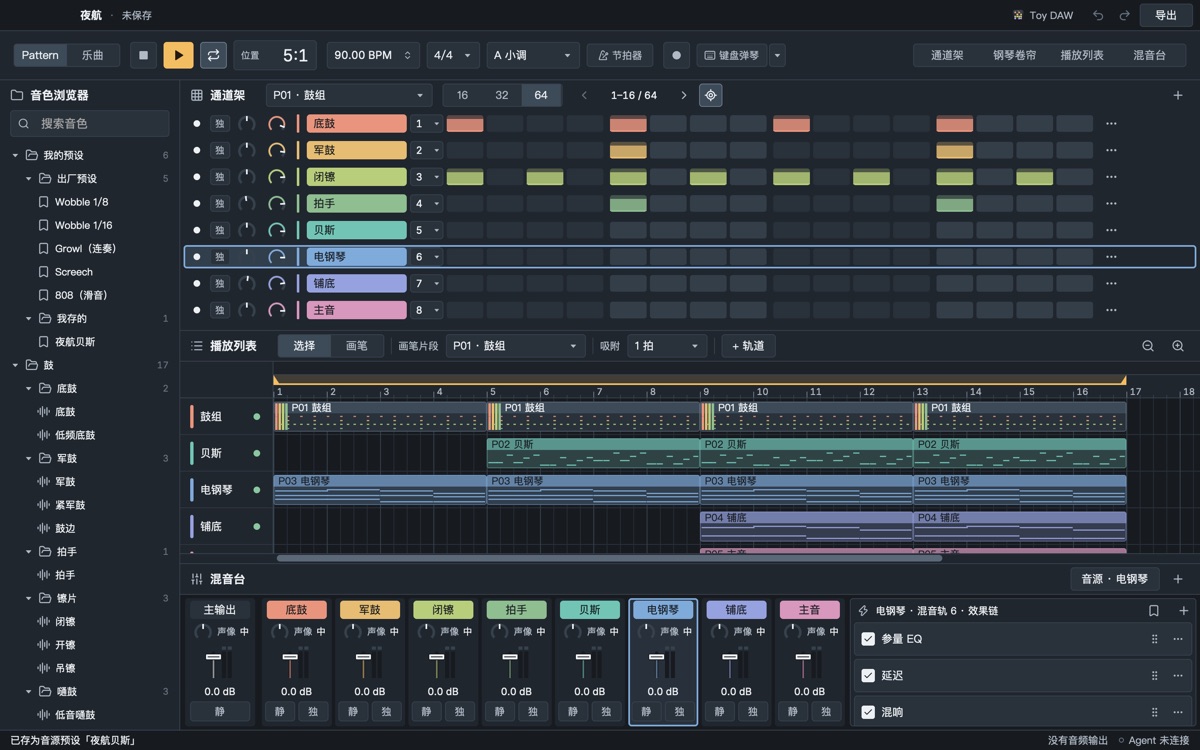
Pattern-based: write patterns in the channel rack and piano roll, arrange them into a song on the playlist, mix in the mixer. Everything below is in the app today. (The interface is in Simplified Chinese.)

Channel rack

One row per channel: step grids for drums, the piano roll for melodies. Paint steps by dragging; 16, 32 or 64 steps per page.

  • Volume and pan knobs, double-click to reset
  • Mute, solo, rename, choose a mixer track
  • Drag a sound from the browser onto a channel to swap its instrument
The default layout: channel rack step grid at the top, playlist in the middle, mixer at the bottom

Piano roll

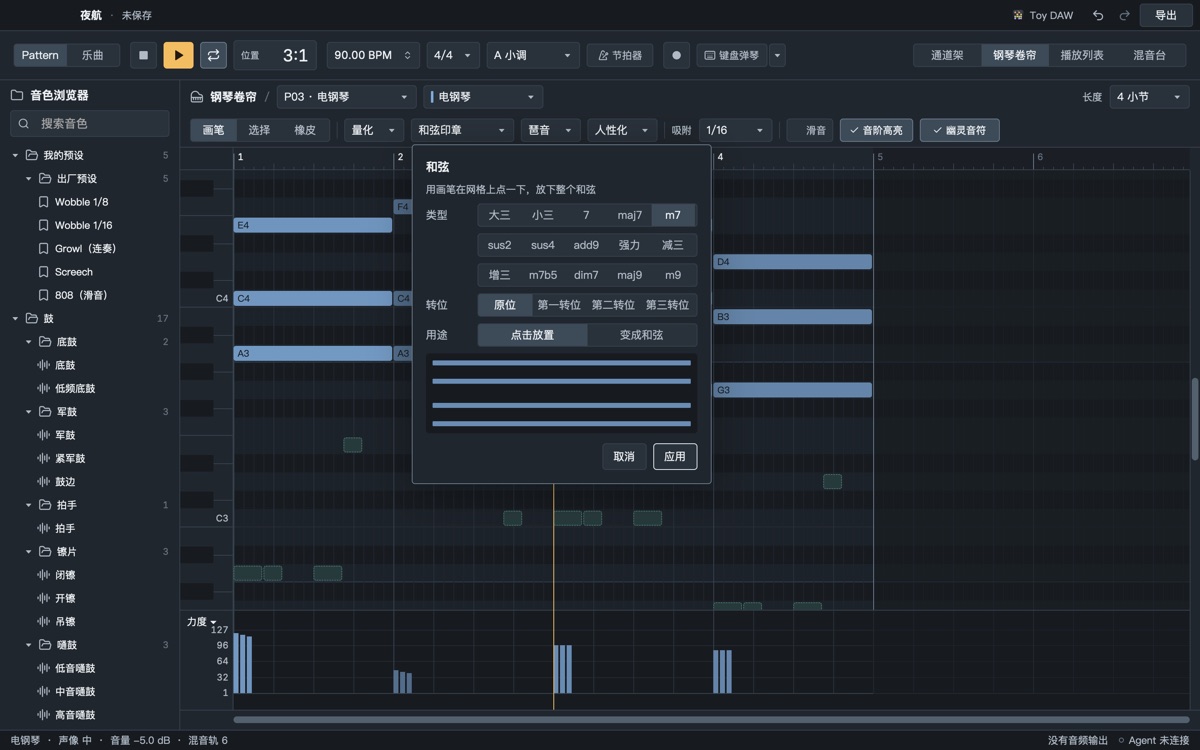
Draw, select and erase tools; ⌘-drag for a marquee, right-click for batch edits.

  • Chord stamp: 15 chord types (major, minor, 7, maj7, m7, sus2, sus4, add9, power, dim, aug, m7b5, dim7, maj9, m9), root position to third inversion
  • Arpeggiator: directions including “as played”, 1/8 to 1/32 and triplets
  • Slide notes: write 808 and growl slides directly; synth, SoundFont and sampler all slide
  • Crescendo and decrescendo, legato and staccato, chop, quantize, humanize, flip, reverse
  • Scale highlighting and ghost notes from other channels
The chord stamp pop-over listing 15 chord types and inversions

Playlist

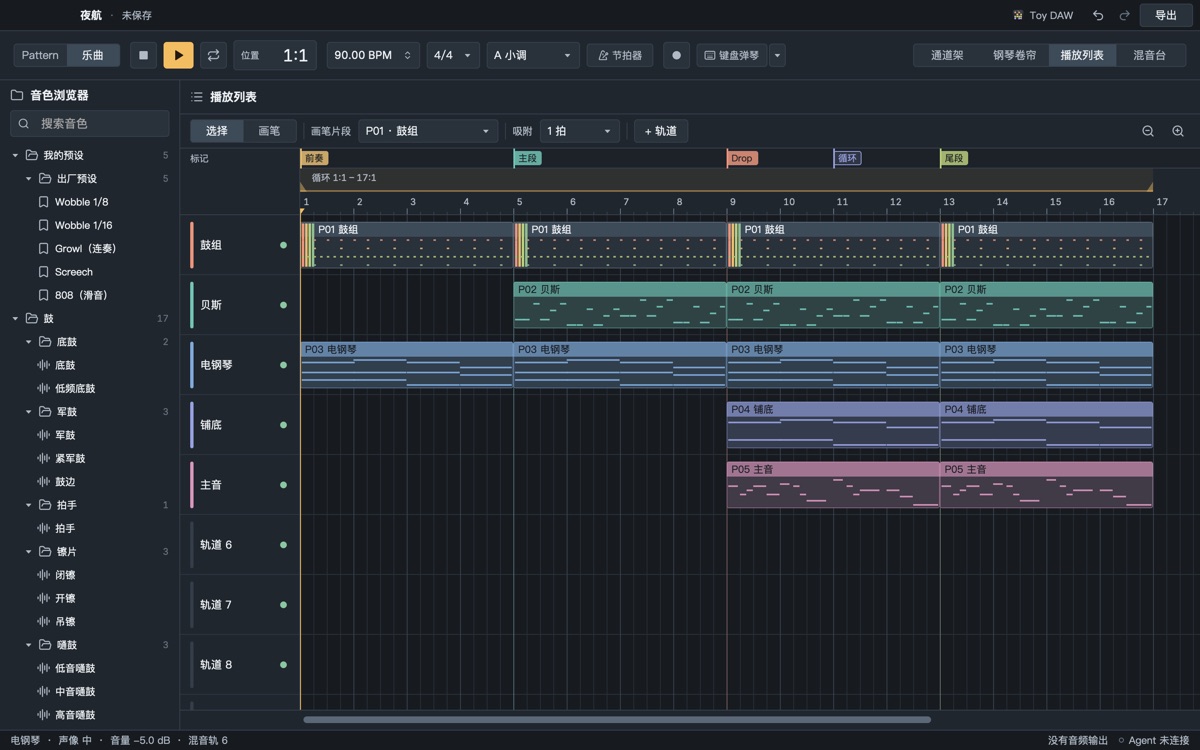
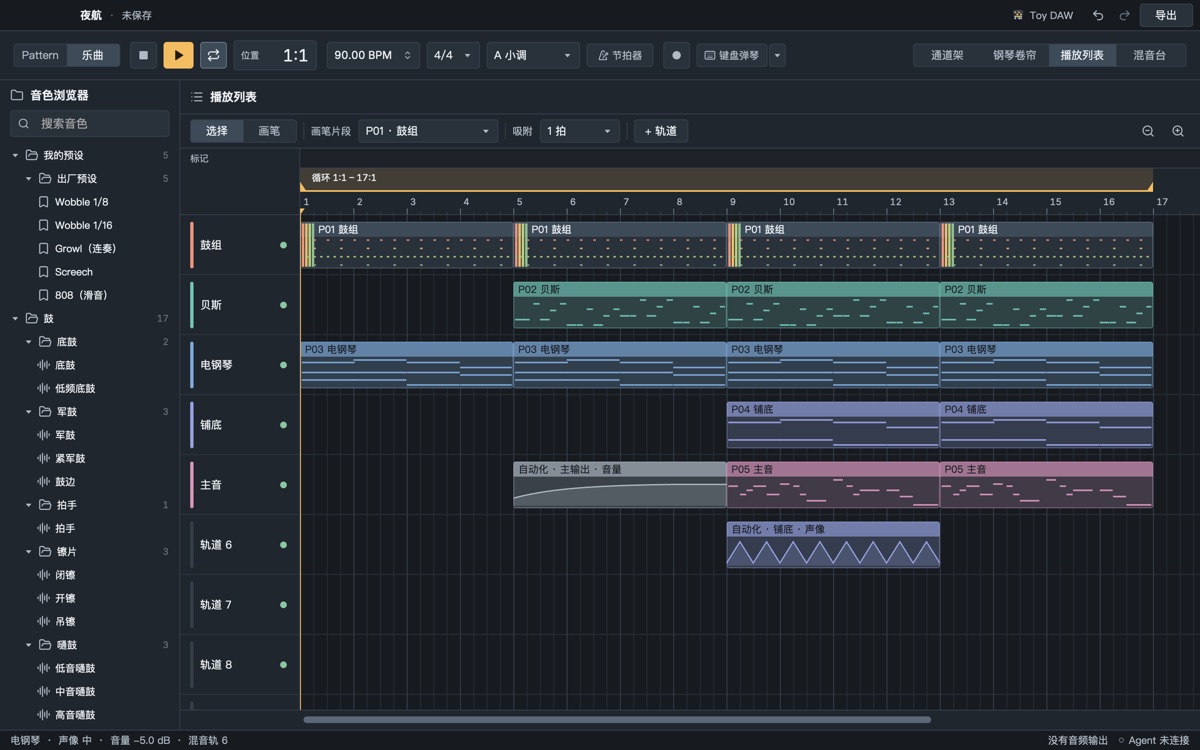
Arrange pattern clips into a song: ⌥-drag to copy, drag the right edge to resize, marquee select, loop range.

  • Section markers: intro, drop, break; double-click to add or rename, ⌘-click to loop a section
  • Rename, insert, delete and reorder tracks
  • Export a single section
The playlist's section marker bar with four sections

Mixer

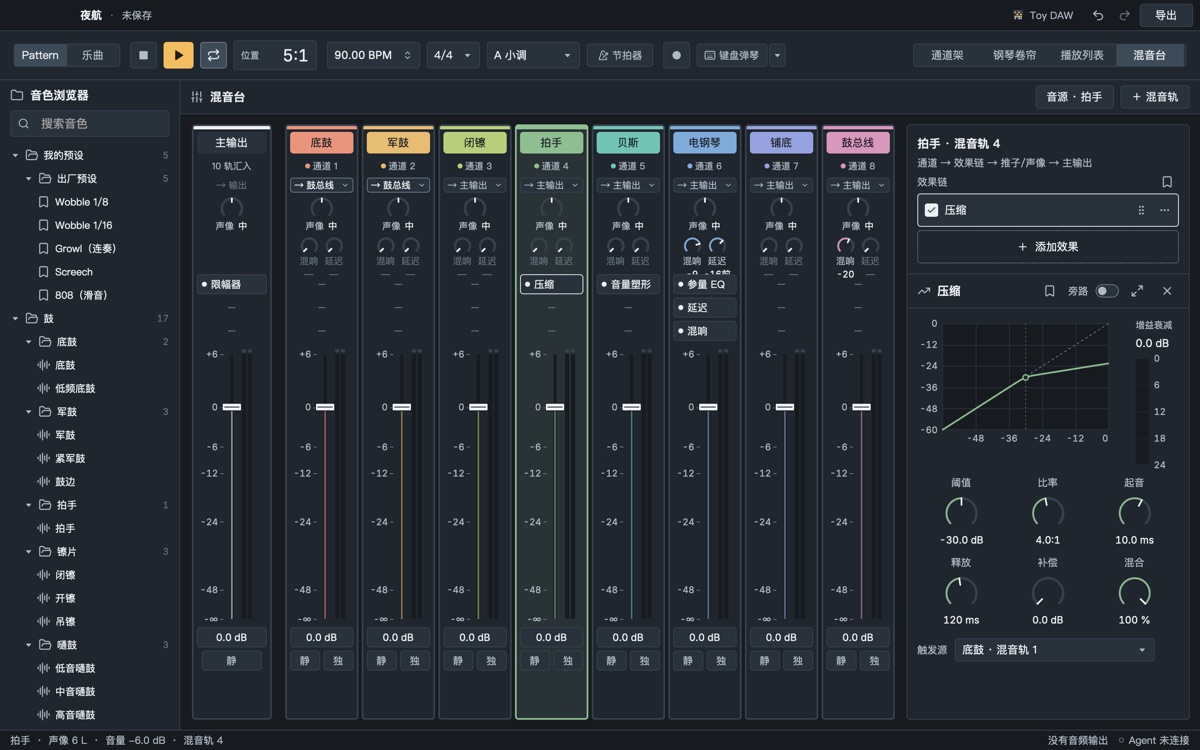
An effect chain on every mixer track; faders, pan, mute and solo, level meters with clip latch.

  • Send tracks: new projects come with a reverb and a delay send; pre- or post-fader
  • Buses: route drums and bass to their own buses; routes that would loop are greyed out with the reason
  • Sidechain: any track can trigger a compressor, so the kick ducks the bass
  • Volume shaper: Pump 1/4, Pump 1/8 and Gate presets for pumping without a trigger track
The compressor panel's trigger-source menu with the kick track selected

Synth

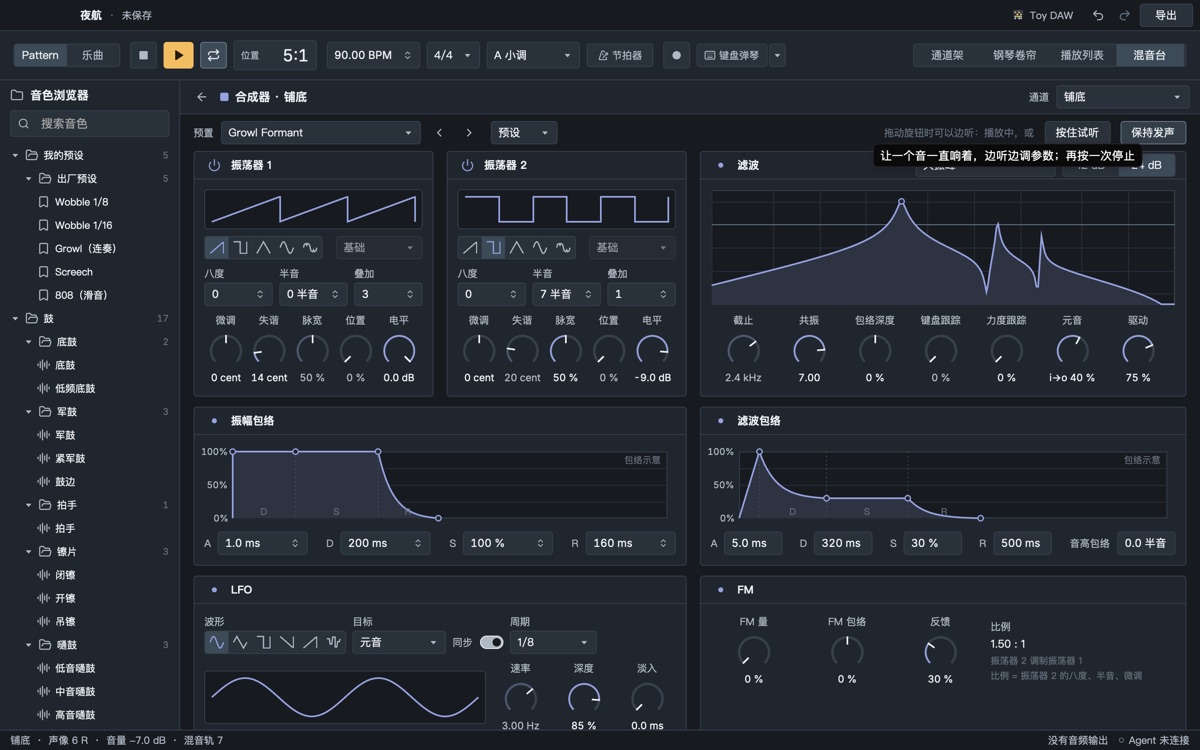
Two oscillators, a filter, two envelopes and an LFO. Besides the synth there is a SoundFont player (with the GeneralUser GS bank) and a drum sampler.

  • Wavetables: 10 tables of our own, with a scannable position
  • FM: oscillator 2 modulates oscillator 1, plus self-feedback
  • Formant filter: vowels a-e-i-o-u with smooth morphing, for talking growls
  • Tempo-synced LFO (including triplets and dotted values) targeting cutoff, wavetable position, vowel or FM amount
  • Factory sounds: Wobble ×3, Growl (formant / FM), Yoi, Screech, Neuro Reese, Clean Sub, FM Bell, Pluck 2
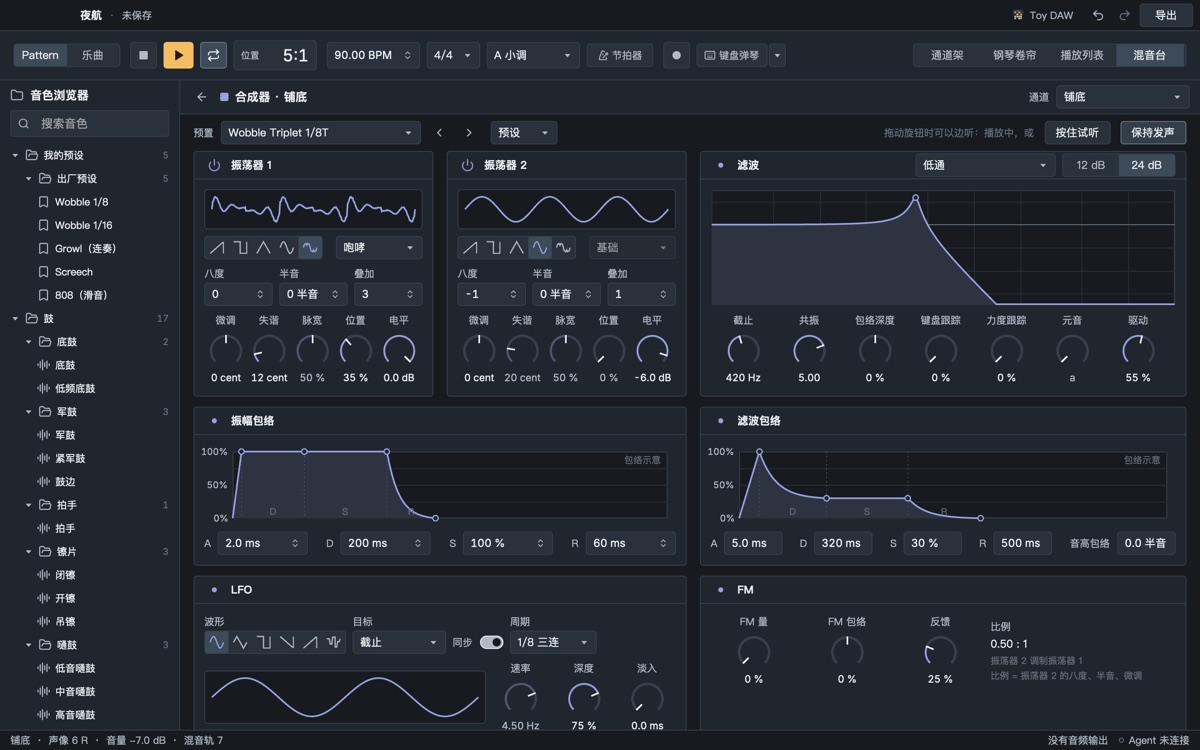
The synth panel with the formant filter; the curve shows the vowel peaks
Synth · FM

FM bells and metal

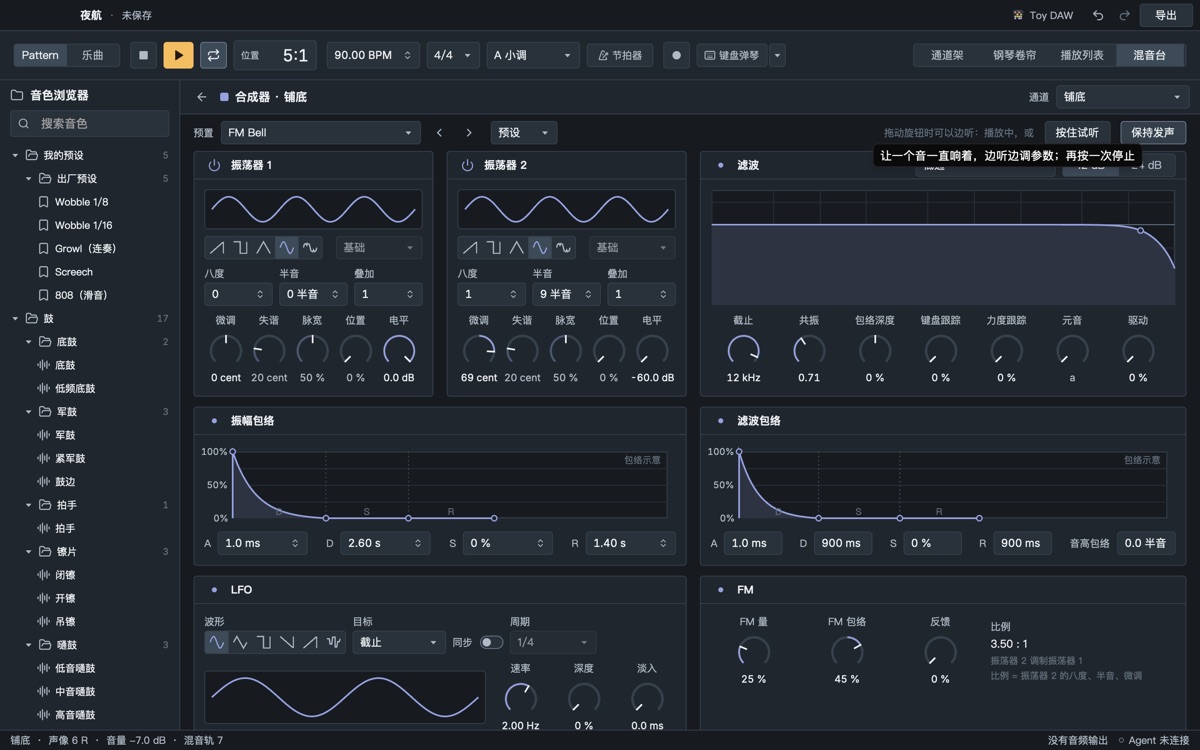
The ratio is oscillator 2's pitch; the FM envelope brightens the attack.

The synth's FM section: amount, envelope, feedback and ratio
Synth · wavetable

Sweep the wavetable with an LFO or automation

For a wobble that moves both cutoff and wavetable, let the LFO sweep one and automation the other.

The synth's wavetable oscillator

Effects

Parametric EQ, filter, delay, reverb, distortion, compressor and limiter, plus:

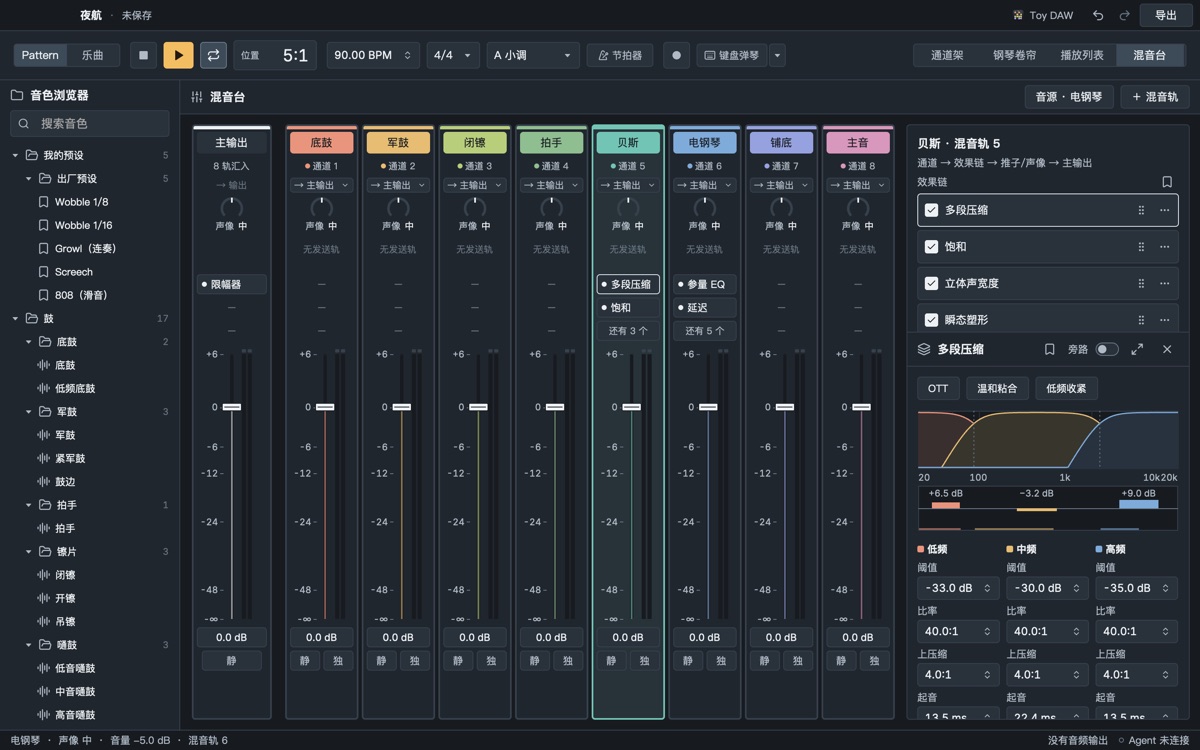
  • Multiband compressor: three bands, upward and downward, with OTT, gentle glue and tight-low-end presets
  • Saturation: tape, tube, hard clip, wavefold
  • Stereo width: 0–200 %, with mono bass
  • Transient shaper and sweeten, one knob driving multiband, saturation and limiter, with a loudness readout and a reminder that louder is not better
The multiband compressor: three band curves with threshold, ratio and upward settings per band

TimeFX rhythm effect

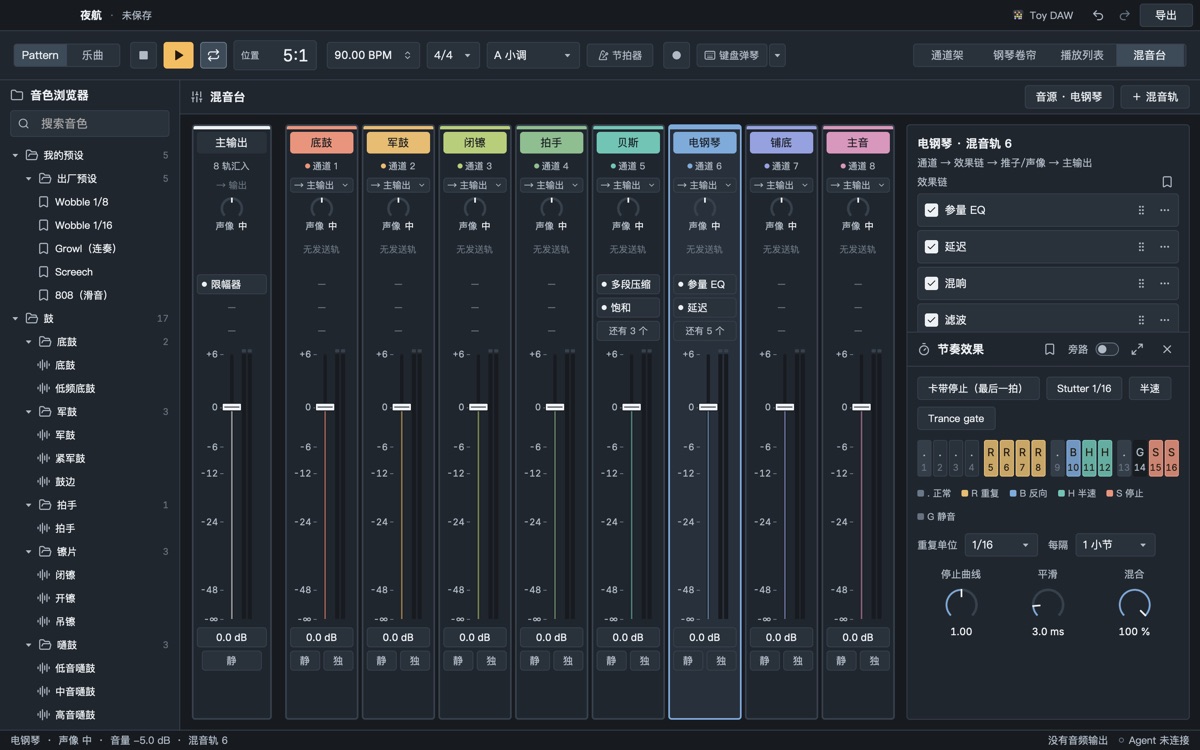
Sixteen steps per bar, one action per step: normal, repeat (stutter), reverse, half speed, tape stop, mute. A tape stop on the last beat before a drop is one line: ............SSSS.

  • Presets: tape stop (last beat), Stutter 1/16, half speed, Trance gate
  • Can act only in the last bar of every 8
The TimeFX panel with 16 steps marked repeat, reverse, half speed, mute and tape stop

Automation

Parameters that change over time. Automation inside a pattern repeats with it (that is how a dubstep wobble changes speed inside one long note); automation clips on the playlist follow the song (sweeps, fades).

  • Click, drag and bend; linear, curve, stairs and hold shapes
  • Right-click any knob or fader for “new automation”
  • Knobs and faders follow the automation while playing; grab one to take over
Two automation clips on the playlist with their curves drawn
AI mix assistant

Measure, then mix, every step undoable

mix_check only looks: per-track loudness and bands, which tracks mask each other, whether the low end is mono, song loudness against a style target. mix_assist applies the rules: reverb on sends, high-pass on non-bass tracks, kick/bass ducking, gain staging, master chain, loudness, one undo step per rule.

Only a human can say whether it sounds good: every result says so.

Computer keyboard

Play without a MIDI keyboard

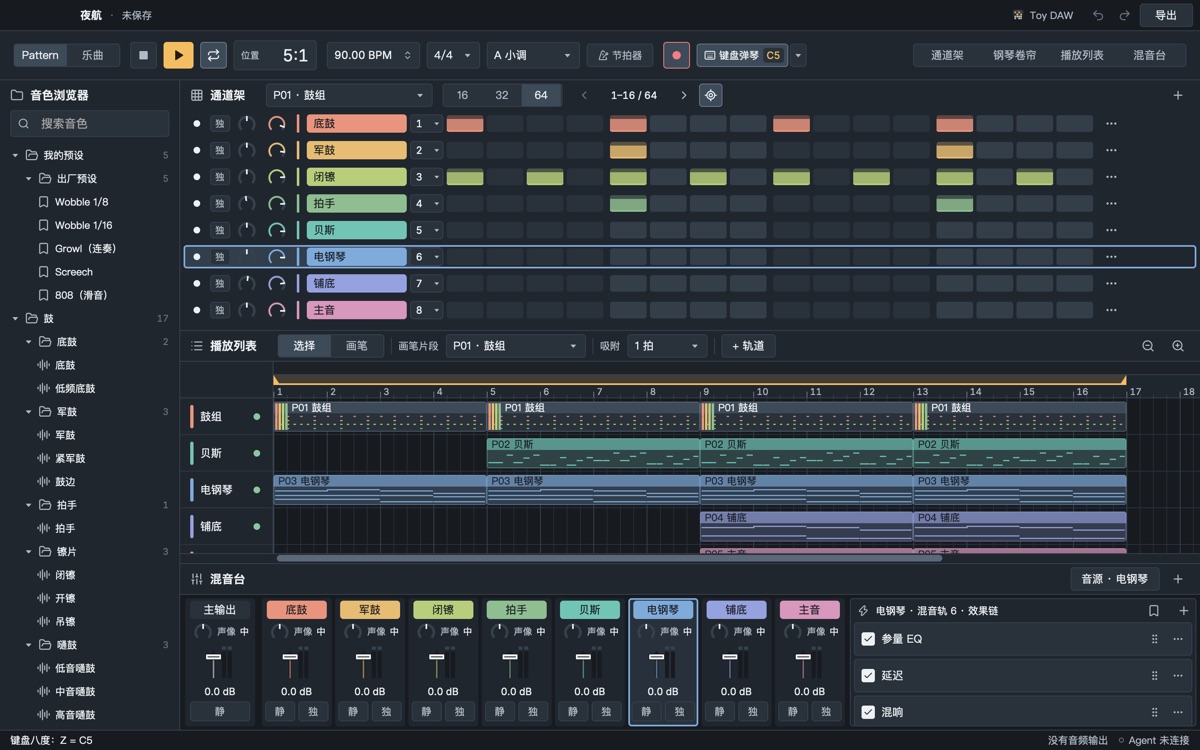
The same layout as FL Studio: Z–M for one octave, Q–U for the next. The app keeps the last five minutes of what you played and drops it into the piano roll in one step, or records while playing. The agent can read what you just played and build on it.

Presets

Factory presets and your own

Save an instrument, an effect or a whole chain and use it in the next project. Factory presets include Wobble 1/8, Wobble 1/16, Growl (legato), Screech, 808 (slide), a dubstep bass-bus chain and a trap master chain.

The presets group at the top of the sound browser
Export

WAV · M4A · MIDI · stems

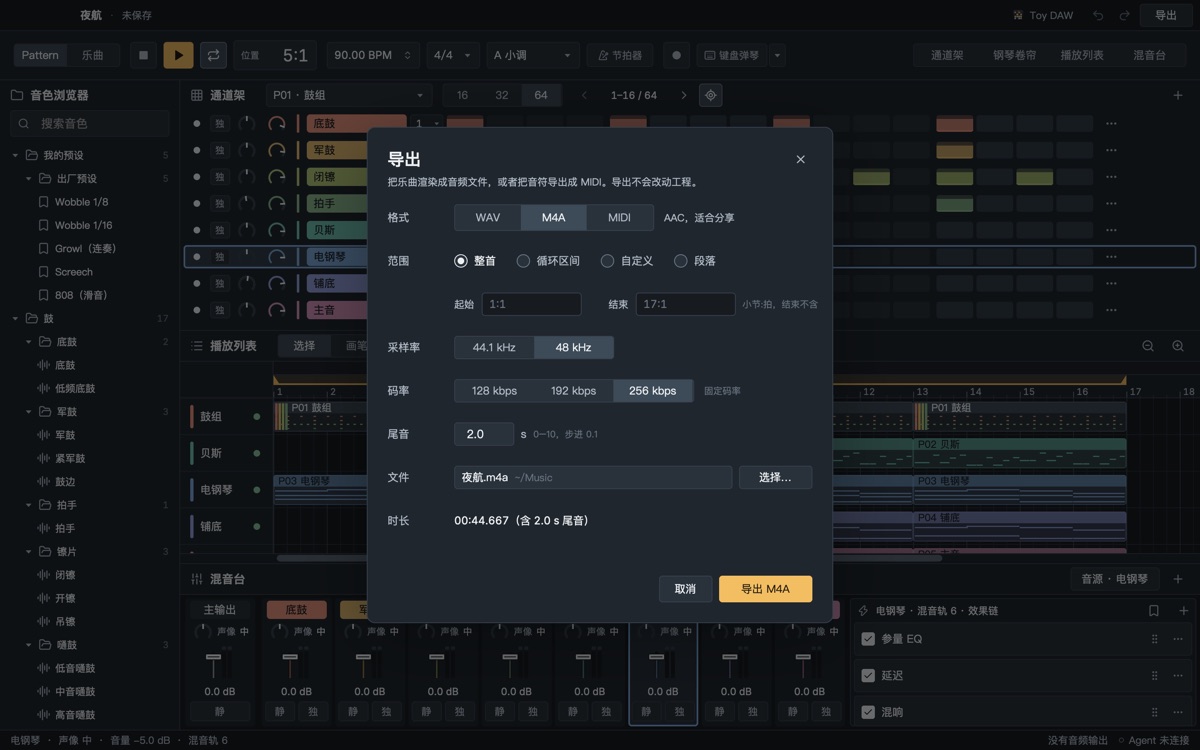
M4A uses the system AAC encoder at 128, 192 or 256 kb/s and plays anywhere; MIDI writes slides as pitch bends; export the whole song, the loop, a custom range or one section.

The export dialog set to M4A at 256 kb/s

Not there yet

  • Audio recording and MIDI keyboard input
  • VST / AU plug-ins
  • MP3 export (macOS has no system MP3 encoder; use M4A)
  • An English interface: the app is in Simplified Chinese for now