Toy DAW is a real music workstation. Ask your agent for “a 90 BPM lo-fi beat” and it builds channels, writes notes, arranges and mixes right in the window. You see every step, and you can pause it, undo it or take over at any point.
The agent uses the same channels, patterns and mixer tracks you do. Everything it does lands in the project, where you can hear it, change it or undo it. Where it stops, you carry on.
01
Follow along
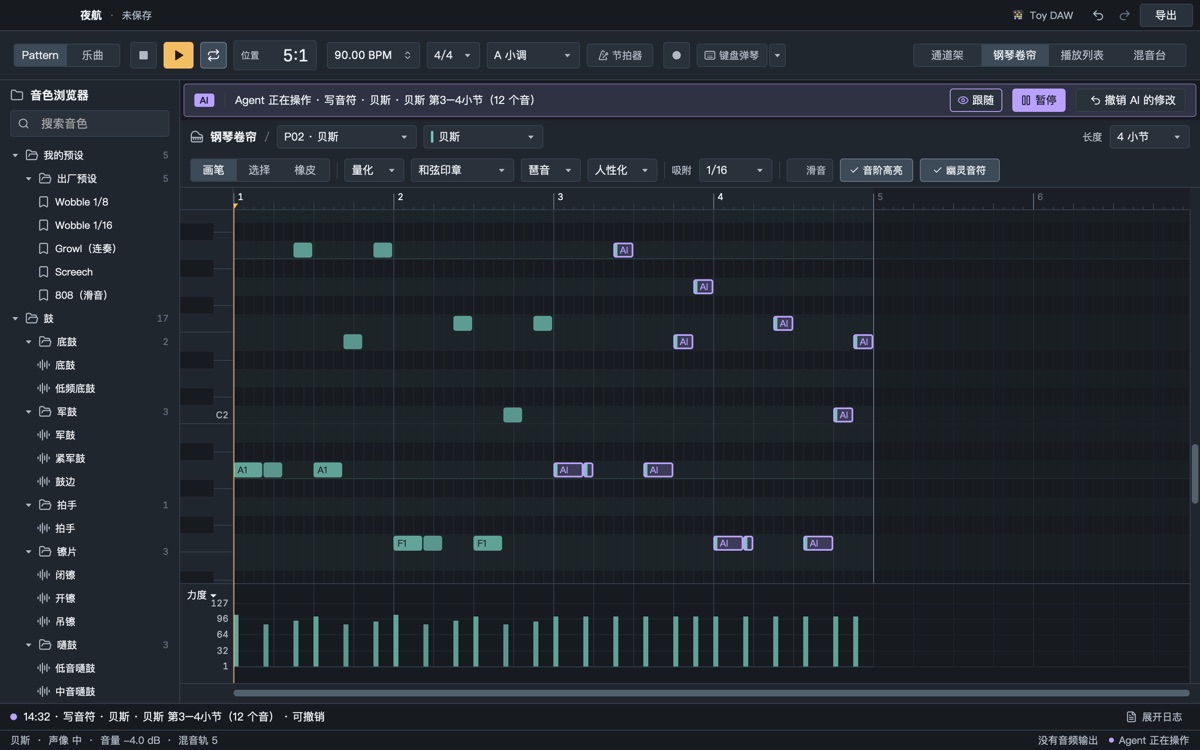
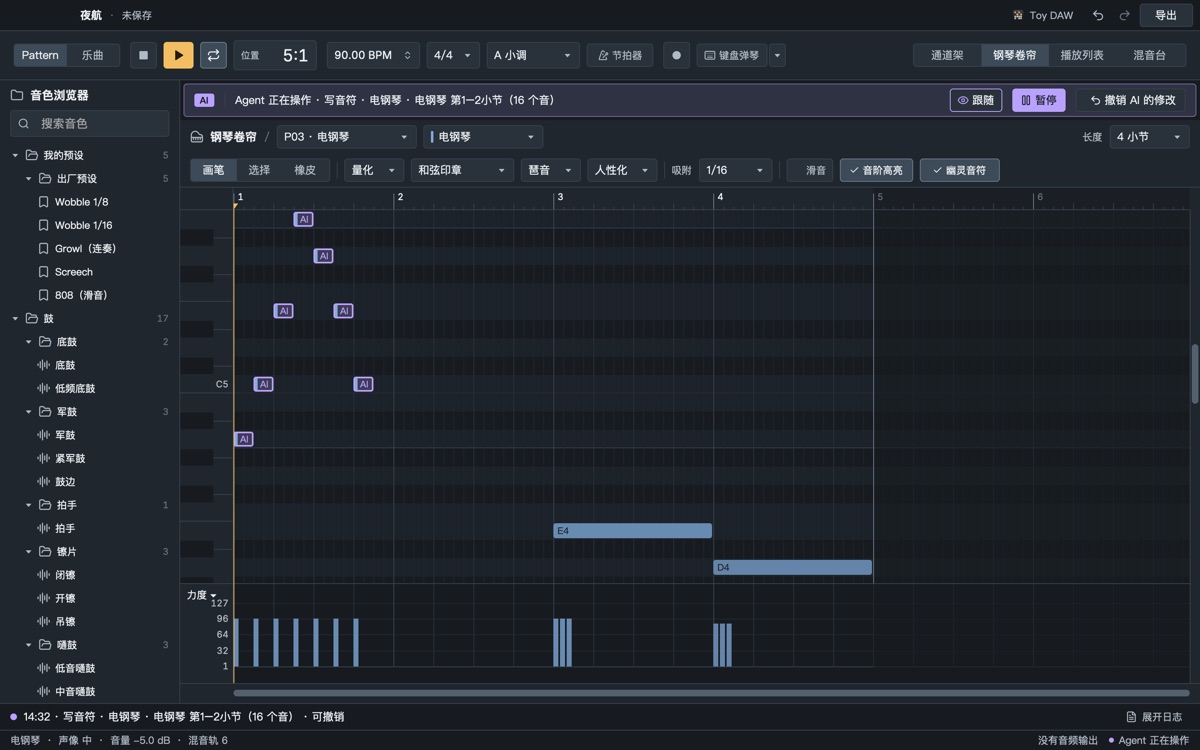
Whatever pattern and channel the agent writes to, the window goes there. New notes are drawn one by one in musical order, and the status strip names the step it is on.
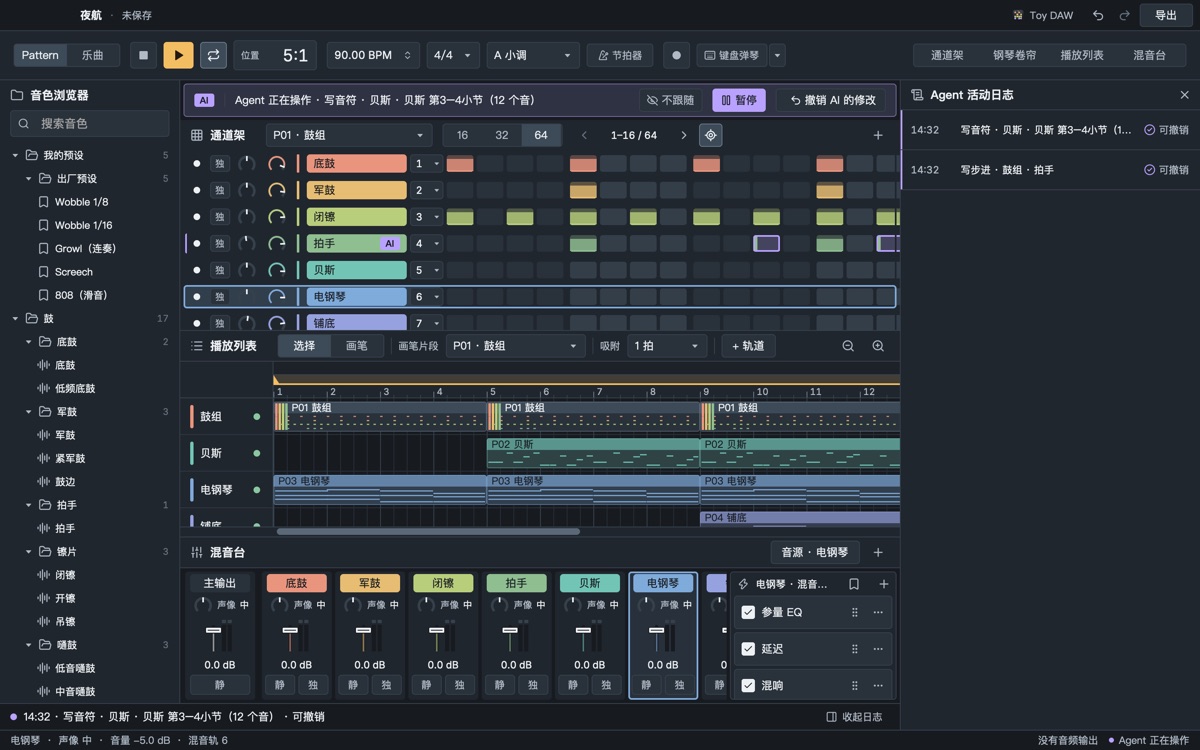
Notes open the piano roll, arranging opens the playlist, effects open the mixer
No jumping while you are dragging, have a menu open or just touched the mouse
Demo pace: off, normal or slow
02
You stay in charge
The agent shares your undo history. Pause it from the status strip, undo its whole batch with one click, and read what it did in the activity log.
Steps and notes it wrote are violet until you edit them
If you changed things after it, undo asks first
Overwriting a file always asks you
// 02 — A complete DAW
Playable by hand, usable by AI.
Four pattern-based editors with a built-in synth, SoundFont player and more than a dozen effects. Without an agent it is still a DAW you can make songs in.
Piano roll
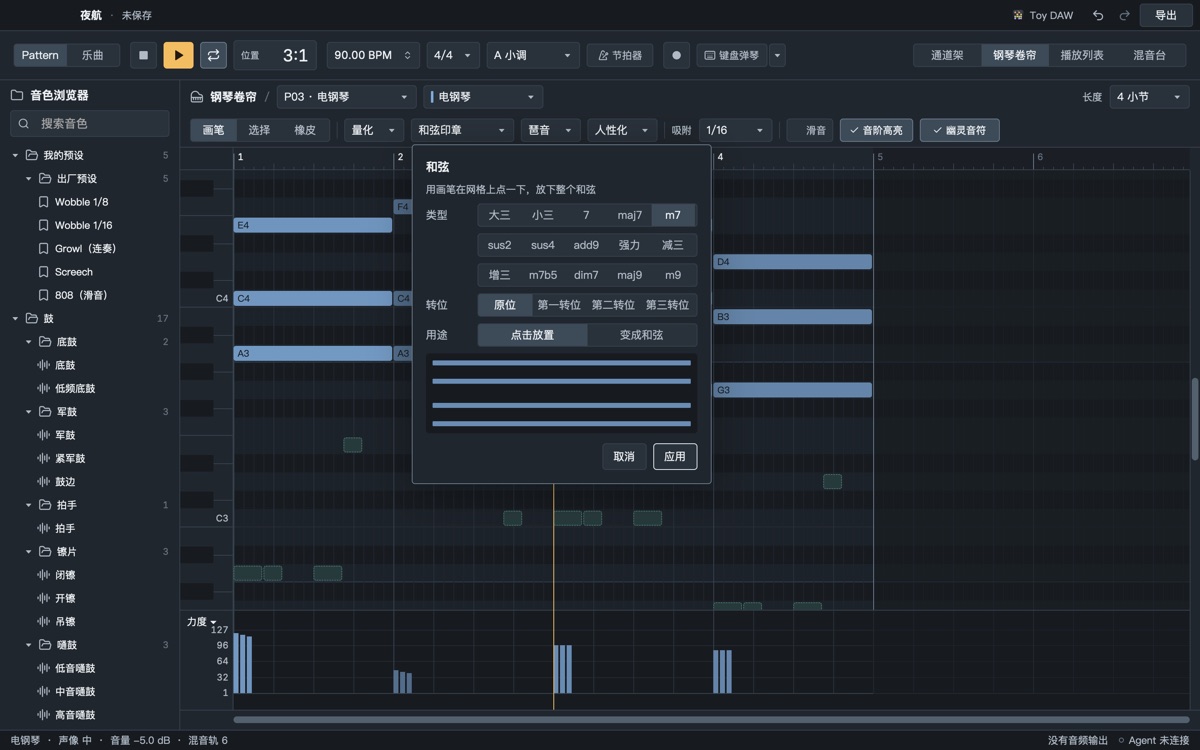
Chord stamp, slides, batch edits
Fifteen chord types with inversions in one click, 808 and growl slides written directly, ⌘-marquee then right-click for velocity, length, chop and quantize.
Playlist
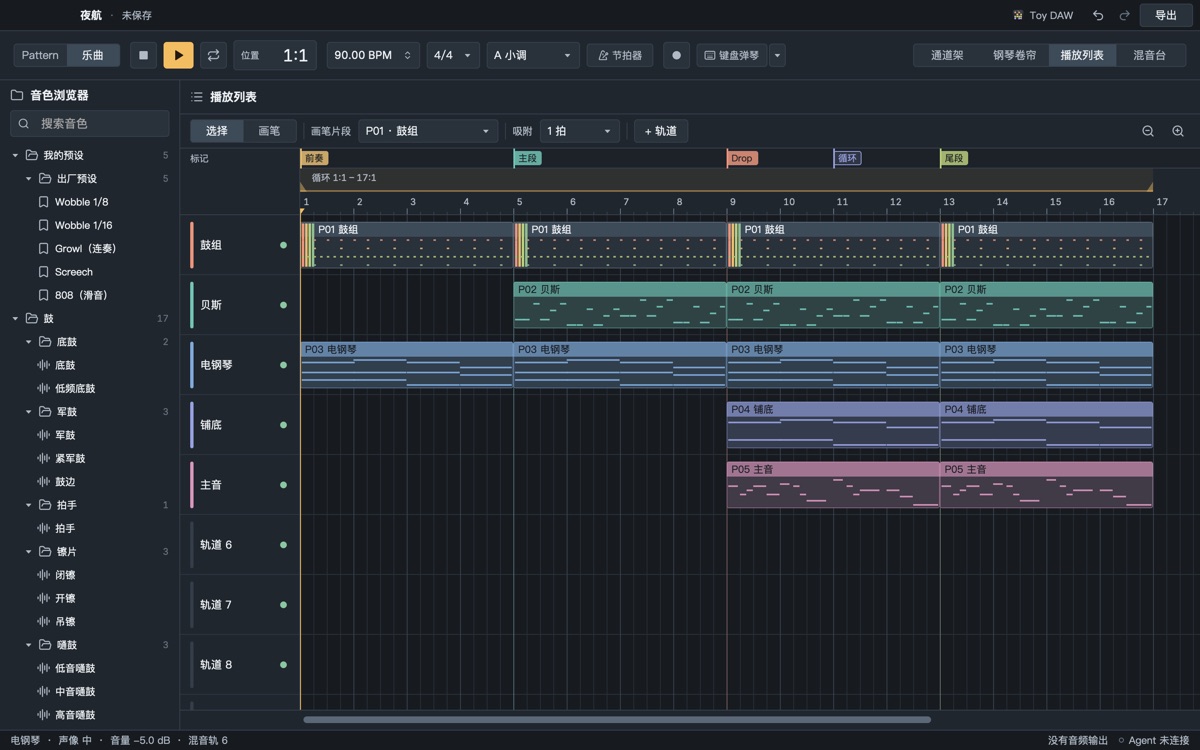
Section markers
Intro, drop and break at a glance, and the agent understands “change the bass in Drop 2”.
Synth
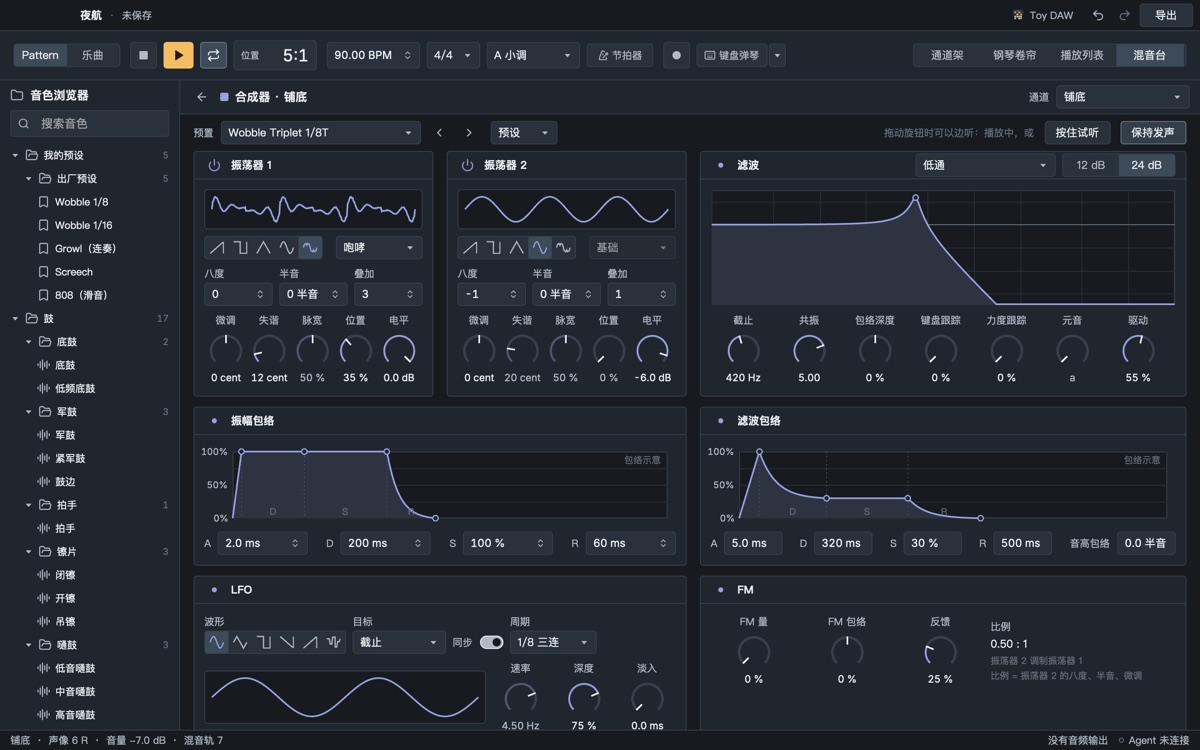
Wavetable · FM · formant
Factory wobble, growl, screech and reese sounds to start from.
Mixer
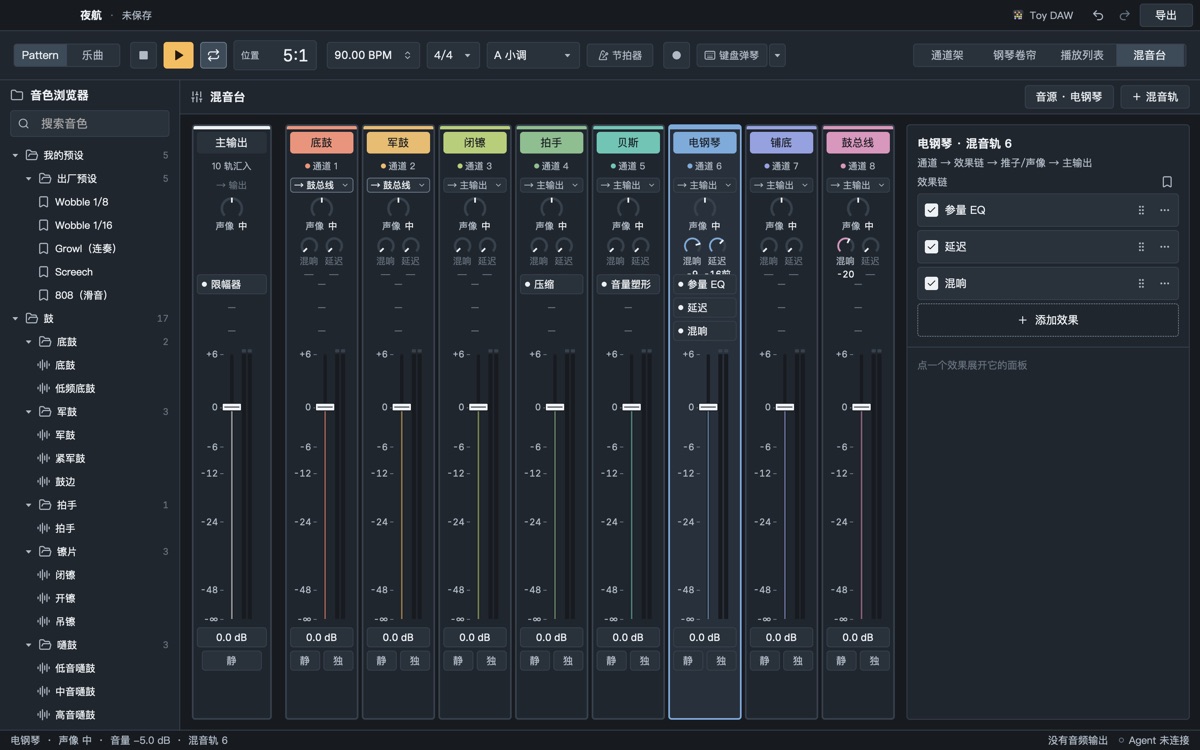
Sends, buses, sidechain and an AI mix assistant
Reverb and delay on sends, the kick ducking the bass. mix_check measures the problems first; mix_assist then mixes rule by rule, each step undoable on its own.
While it is open the app serves MCP on your machine with 54 tools: read the score, write notes, music-theory generators, arranging, mixing, render and measure, export. Local only, token required.
 Toy DAW working title